Artificial intelligence has moved beyond simple chatbots and content generation. In 2026, the best AI tools for small businesses are those that solve real operational problems, integrate with existing systems, improve employee productivity, and support better decision-making.
However, choosing AI software should not be based only on popularity. The right solution depends on your business goals, existing technology environment, security requirements, and the workflows you want to improve.
At Dee & Lee, we help businesses evaluate AI technologies, design secure automation strategies, and build custom integrations that connect AI capabilities with existing business operations.
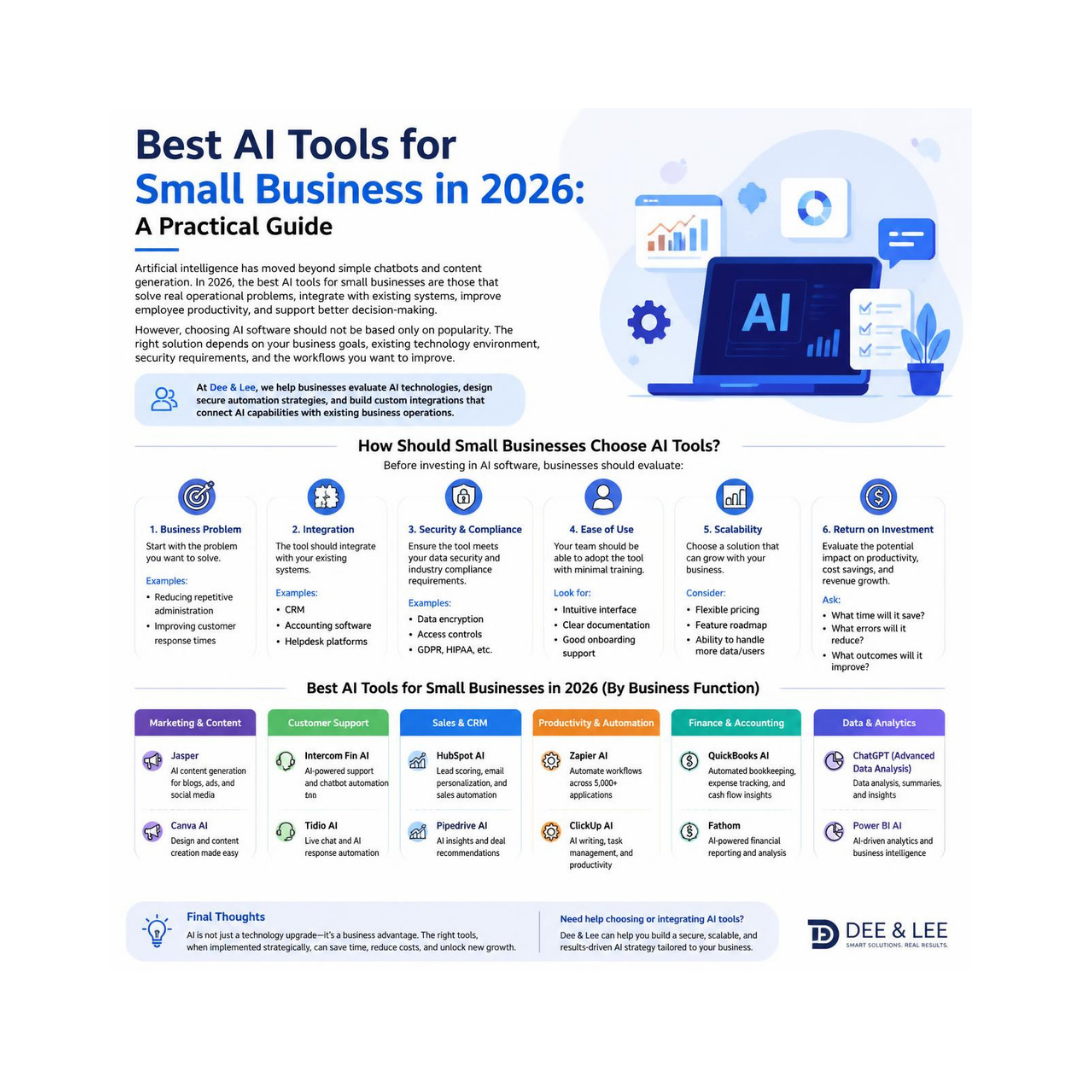
How Should Small Businesses Choose AI Tools?
Before investing in AI software, businesses should evaluate:
1. Business Problem
Start with the problem you want to solve.
Examples:
- Reducing repetitive administration
- Improving customer response times
- Automating document processing
- Creating faster reports
- Improving internal knowledge sharing
- Supporting sales and marketing activities
The best AI tool is not always the one with the most features—it is the one that delivers measurable business value.
2. Existing Technology Environment
AI works best when it connects with the systems your business already uses.
Consider:
- CRM platforms
- Accounting software
- ERP systems
- Microsoft 365
- Google Workspace
- Customer support systems
- Internal databases
Tools that integrate well with your existing environment usually create more value than standalone applications.
3. Security and Data Requirements
Businesses should understand how AI platforms handle information before introducing them into daily operations.
Important considerations include:
- Where business data is stored
- User access controls
- Privacy settings
- Data retention policies
- API security
- Compliance requirements
AI adoption should always include appropriate governance and security reviews.
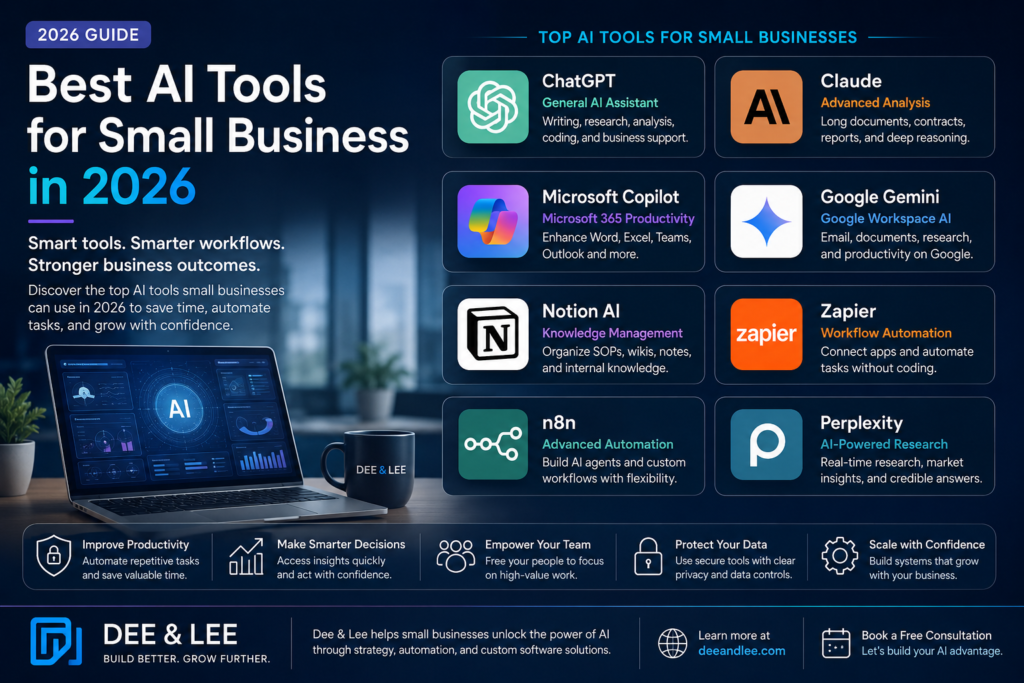
Best AI Tools for Small Businesses in 2026
The following tools represent different categories of AI capability. The right choice depends on your business requirements.
| AI Tool | Main Purpose | Best For |
|---|---|---|
| ChatGPT | General AI assistant | Writing, research, analysis, coding, business support |
| Claude | Advanced reasoning and document analysis | Reports, contracts, long documents, professional services |
| Microsoft Copilot | AI inside Microsoft 365 | Businesses using Word, Excel, Teams and Outlook |
| Google Gemini | AI productivity within Google Workspace | Businesses using Gmail, Docs and Google tools |
| Notion AI | Knowledge management | Internal documentation, SOPs and team knowledge bases |
| Zapier | Workflow automation | Connecting business applications without coding |
| n8n | Advanced automation and AI workflows | Custom integrations and AI agent workflows |
| Perplexity | AI-powered research | Market research, competitor analysis and information gathering |
1. ChatGPT: General Business AI Assistant
ChatGPT is one of the most widely adopted AI assistants for business users.
Common business applications include:
- Creating marketing content
- Drafting emails
- Analysing documents
- Generating ideas
- Supporting software development
- Creating business reports
- Assisting employees with research
For many small businesses, ChatGPT is a practical starting point because it can support multiple departments.
2. Claude: AI for Analysis and Long Documents
Claude is particularly useful for businesses that work with large amounts of information.
Examples:
- Reviewing contracts
- Analysing business documents
- Summarising reports
- Creating strategic documents
- Processing large knowledge bases
Professional services organisations, consultants, and research teams often benefit from AI systems designed for deeper document understanding.
3. Microsoft Copilot: AI for Microsoft-Based Businesses
Businesses already using Microsoft 365 may benefit from AI capabilities integrated directly into their existing workplace tools.
Common use cases:
- Summarising meetings in Teams
- Creating documents in Word
- Analysing spreadsheets in Excel
- Improving email productivity in Outlook
The advantage is reducing the need for employees to move between multiple platforms.
4. Google Gemini: AI for Google Workspace Users
For businesses using Google Workspace, Gemini provides AI assistance across Google’s productivity environment.
Potential applications include:
- Email assistance
- Document creation
- Research support
- Meeting productivity
- Information organisation
5. Notion AI: Building a Business Knowledge Hub
Many small businesses struggle because important information is stored across:
- emails
- spreadsheets
- shared folders
- individual employee knowledge
Notion AI can help organisations create structured knowledge systems.
Examples:
- Employee onboarding guides
- Standard operating procedures (SOPs)
- Internal documentation
- Project knowledge bases
6. Zapier: Connecting Business Applications
Many businesses use multiple software platforms that do not communicate effectively.
Automation platforms such as Zapier help connect applications.
Examples:
Customer enquiry received
↓
CRM updated
↓
Email notification sent
↓
Task created for sales team
↓
Follow-up reminder scheduled
This reduces manual administration and improves consistency.
7. n8n: Advanced AI Automation and Agent Workflows
For businesses requiring more customised workflows, n8n provides flexible automation capabilities.
Examples:
- Connecting databases with AI models
- Creating AI agents
- Automating lead research
- Processing documents automatically
- Building internal business assistants
Unlike simple automation tools, advanced workflow platforms allow organisations to create more customised AI solutions.
Why Businesses Need More Than Just AI Tools
Buying AI software alone does not create transformation.
Many businesses discover that they also need:
- Clean and organised data
- Integration between systems
- Workflow redesign
- Security controls
- Employee training
- AI governance
This is where custom AI solutions become valuable.
At Dee & Lee, we help businesses combine existing AI platforms with secure integrations and tailored software solutions to create systems aligned with their operational needs.
Off-the-Shelf AI Tools vs Custom AI Solutions
| Off-the-Shelf AI Tools | Custom AI Solutions |
| Faster implementation | Designed around specific business processes |
| Lower initial cost | Higher investment but greater flexibility |
| Suitable for common tasks | Suitable for unique workflows |
| Limited customisation | Full control over integrations |
| Good starting point | Better for scaling operations |
Most businesses benefit from a hybrid approach:
Use proven AI platforms + build custom integrations where required.
How Small Businesses Can Start Implementing AI
A practical approach:
Phase 1: Identify Opportunities
Find tasks that are:
- repetitive
- time-consuming
- rules-based
- frequently performed
Phase 2: Select a Pilot Project
Examples:
- AI customer enquiry assistant
- Automated reporting
- Document processing workflow
- Internal knowledge assistant
Phase 3: Measure Results
Track:
- Time saved
- Cost reduction
- Employee productivity
- Customer response improvements
- Process accuracy
Phase 4: Expand Gradually
Once a pilot proves value, expand AI adoption across other business functions.
Frequently Asked Questions
What is the best AI tool for small business in 2026?
There is no single best AI tool for every business. ChatGPT and Claude are useful general AI assistants, Microsoft Copilot and Google Gemini are strong choices for productivity environments, while automation platforms such as Zapier and n8n help businesses connect systems and automate workflows.
Can AI tools replace custom software development?
AI tools can solve many common business problems, but they do not replace all custom software development. Businesses with unique processes, complex integrations, or specific compliance requirements may benefit from tailored AI solutions.
Are AI tools safe for business data?
AI security depends on the platform, configuration, and business controls. Organisations should review privacy settings, access permissions, data handling policies, and integration security before using AI with sensitive information.
How should a small business start using AI?
The best approach is to start with one measurable business problem, test a small AI implementation, evaluate results, and expand gradually.
Conclusion
The best AI tools for small businesses in 2026 are not simply the newest or most powerful platforms. They are the solutions that fit your business processes, integrate with existing systems, and create measurable improvements.
Small businesses should focus on practical AI adoption:
- Start with business problems
- Choose suitable AI tools
- Protect company data
- Automate repetitive workflows
- Build custom solutions where needed
With the right strategy, AI can become a powerful capability that helps businesses operate more efficiently and scale sustainably.
Dee & Lee helps organisations evaluate AI opportunities, implement intelligent automation, and build secure AI solutions designed around their business goals.