
Introduction
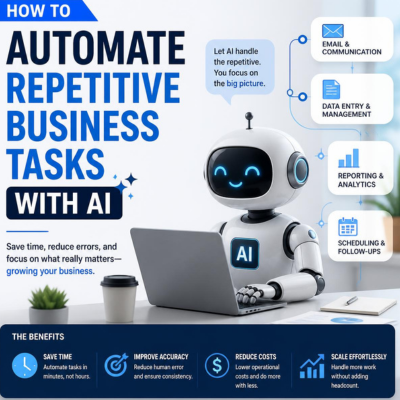
Repetitive business tasks can quietly take up a huge amount of time. AI can help automate many of them so your team can focus on higher-value work.
The goal is not to automate everything. It is to remove the work that happens again and again without adding much strategic value.
For small businesses, that can mean faster communication, simpler admin, better reporting, and fewer missed follow-ups. When used well, AI becomes a practical assistant that helps the business run more smoothly.
Which business tasks should be automated
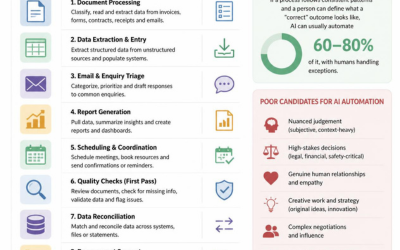
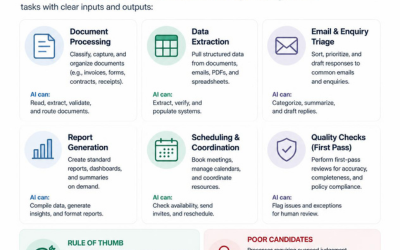
The best tasks to automate are the ones that are frequent, predictable, and easy to standardise. These usually include admin, basic communication, reporting, and simple follow-up work.
If a task has a clear pattern, it is often a good candidate for AI support. If it changes every time or needs careful judgment, it should probably stay human-led.
A good rule is to automate repeatable work, not important thinking. That helps you save time without losing control of the parts of the business that matter most.
Automating email and communication
AI is especially useful for drafting emails and replies. It can help create a first version of a response, follow-up message, or internal note in seconds.
This saves time and helps keep communication consistent. It is also useful when your business gets many similar enquiries.
You can also use AI to summarise long conversations. That makes it easier to stay organised without reading everything manually.
For example, after a client call, AI can help turn rough notes into a professional follow-up email. That means less time typing and more time moving the project forward.
Automating admin and scheduling
Admin tasks often include booking, reminders, task creation, and basic data entry. These are ideal for automation because they happen often and follow clear steps.
For example, a new enquiry could trigger an automatic reply and add a task to your team’s workflow. That helps make sure nothing gets missed.
Scheduling tasks can also be simplified. AI can help prepare reminders, follow-up prompts, or internal alerts so your process runs more smoothly.
This is particularly valuable for small teams, where one missed task can create extra pressure later. Even a few small automations can make the day feel much easier to manage.
Automating reporting and data work
Reports are another good use case. AI can help gather data, summarise information, and create a cleaner overview of performance.
Instead of manually preparing the same update every week, you can automate part of the process and review the output before sharing it. That saves time and makes reporting more consistent.
This is useful for sales updates, website traffic summaries, project progress reports, and operational check-ins. You do not need a huge system to benefit from it.
The key is to keep the data simple and the report readable. AI should reduce effort, not create more work for the team.
Automating customer support
AI can support customer service by answering common questions, suggesting replies, and routing issues to the right person.
This is especially effective for questions that come up often, such as pricing, hours, delivery, booking, or service details.
A chatbot or helpdesk assistant can handle the repetitive layer of support while a human handles the more complex or sensitive issues. That gives customers faster responses without losing the personal touch.
The best customer service setup is often a mix of AI and human support, not one or the other.
What not to automate
Do not automate anything sensitive without a review step. That includes financial decisions, legal content, important client communication, and anything high-risk.
You should also avoid automating a process that is still unclear. If the manual workflow is messy, automation will not fix the problem.
First simplify the process, then automate the repeatable parts. That way the system supports the business instead of creating confusion.
A simple workflow example
Here is a simple example of how automation might work in a small business:
- A customer fills out a contact form.
- AI creates a draft reply.
- The enquiry is added to the task list.
- A reminder is sent if no one responds within a set time.
- The owner reviews the reply before sending it.
That kind of workflow can save time and make the business look more responsive. It also reduces the chance of forgetting important follow-up work.
Best practices for AI automation
Start small and build confidence with one process at a time. If the first automation works well, add another one later.
Always check outputs before using them in public or client-facing situations. AI is helpful, but it is not perfect.
Keep your systems simple enough that your team can understand them. If no one can explain the workflow clearly, it is probably too complicated.
Common mistakes
One common mistake is automating too much too soon. That can make the process harder to manage instead of easier.
Another mistake is using AI without clear instructions. If the prompt or workflow is vague, the output will usually be vague too.
A third mistake is not reviewing the results. Even small errors can cause confusion if no one checks the final output.
FAQ
What business tasks can AI automate?
AI can help automate emails, reminders, scheduling, reporting, basic support, and other repetitive tasks.
Should I automate all repetitive work?
No. Some tasks still need human review, especially if the work is sensitive or important.
What is the best task to automate first?
A good first task is something repetitive, low-risk, and easy to measure, such as follow-up emails or reminders.
Do I need coding skills to automate tasks with AI?
No. Many AI and automation tools are designed for non-technical users.
Conclusion
Automation works best when it removes low-value tasks without creating extra work. Start small, test carefully, and keep human oversight for anything important.
When used well, AI can save time, reduce errors, and make your business easier to run. The goal is not to replace people — it is to give them more time for better work.